Sense · Remote viewing
Sketch an image you haven’t seen.
Remote viewing is the practice of seeking impressions of a target hidden from ordinary sight. Sense makes it a short daily session with a clear record and feedback.
- Practice
- Remote viewing
- A session
- One sketch, one choice
- Chance
- 50%
How to play
Step 1 of 4
Settle on the target
Each session begins with a target number. It stands for one hidden photograph.
- The number tells you nothing about the photograph. It gives your attention a place to rest.
- Take a slow breath and settle.
- Notice what comes: shapes, textures, light, movement, a feeling.
Step 2 of 4
Record impressions
Sketch what you notice as it arrives, before you decide what it means.
- Draw with your finger. Use Text to place a word on the sketch, or Notes for longer thoughts.
- Describe before you name. Rough is fine, and a blank sketch is okay too.
- Tap Submit when you are done. Your sketch locks and cannot be changed.
Step 3 of 4
Choose the match
After you submit, two photographs appear. One is the target.
- Tap the photograph that fits your impressions best.
- Or drag the slider toward it. Farther from the center means more confident.
- Neither fits? Choose Cannot determine. It is saved and left unscored.
Step 4 of 4
Review your feedback
Feedback reveals the target photograph.
- Tap View submission to see your sketch again. Notice what corresponded.
- Daily feedback arrives the next day. Every other round shows it right away.
- One session is one observation. Your record builds over time.

Psi Explained, Ep. 2: Remote viewing
The envelope stays sealed.
One minute on remote viewing research: the SRI experiments of the 1970s, a page from the CIA’s Stargate files, SRI’s 1989 review, and a round of Sense.
The text is on screen, so it plays without sound too.
The practice
Settle
Take a slow breath and let your attention rest on the target number.
Notice
Let impressions come without forcing them: a shape, a texture, light, movement, a feeling.
Record
Sketch or note each one as it arrives, before you decide what it means.
Review
At feedback, compare your record with the target and notice what corresponded.
Describe, don’t name
The SRI researchers reported that viewers were most accurate about shape, form, color, and material, and less accurate about a place’s name or purpose. Drawings tended to correspond more closely than words.
Describe
- curved
- rough
- bright
- cold
- wide open
- moving
Name later
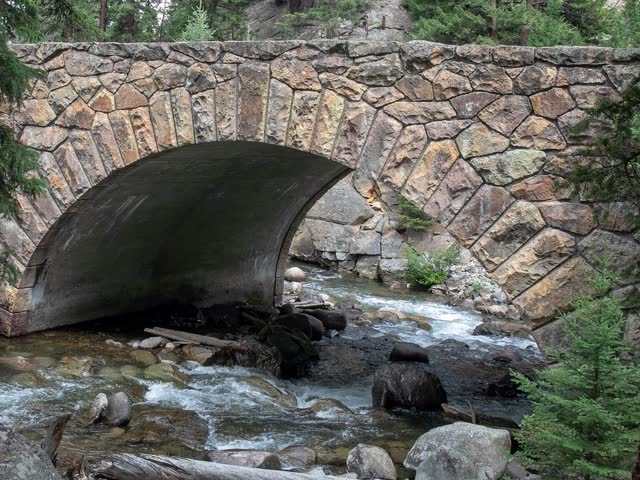
- a bridge
- a beach
- a tower
If a name comes to mind, note it and return to what you perceive.
Where it comes from
In the 1970s, physicists Harold Puthoff and Russell Targ began testing remote viewing at SRI. A viewer described a distant place they could not see, and a judge later matched the descriptions to the real sites. Their work was part of a U.S. government program that ran from 1972 to 1995.
7 of 9
sites matched in first place by a blind judge, for viewer Pat Price. Chance expects 1.
Puthoff and Targ, 1976154
experiments with 227 participants across 15 years of the program.
SRI’s own review, 198912,000+
documents from the program, public in the CIA’s Stargate collection.
CIA reading room
Figures are as reported by the researchers. The early experiments drew published criticism and replies, and remote viewing is still debated.
How Sense is built
Sense keeps the order the research used: target, record, comparison, feedback.
The target is set first
The target number stands for one exact photograph and tells you nothing about it.
Your record locks
Your sketch and notes can’t change once the two photographs appear.
Two real photographs
One is the target. Every target is a real photograph of a real place and time. With two to choose from, chance is 50%.
Feedback closes the session
The target is revealed for you to compare with your record. Some targets are Moments in Time: photographs of significant events, shown with their story, date, and place.
Reading your results
One session is one observation. Hit or Miss describes your choice, and your sketch shows what you perceived. Review both.
- Your statistics show your hit rate beside the 50% chance rate.
- Cannot determine is saved and left unscored.
- Use each feedback to guide your next session.
Free and Premium
Free
- One Daily target every day. Its feedback arrives the next day.
- One Introduction Round with feedback right away. No account needed.
Premium
- Three Immediate rounds a day, with feedback right after you choose.
- The Sense archive of earlier daily targets, also with feedback right away.
- Daily and Immediate statistics are kept separately.
Play Sense in Psi Games
